




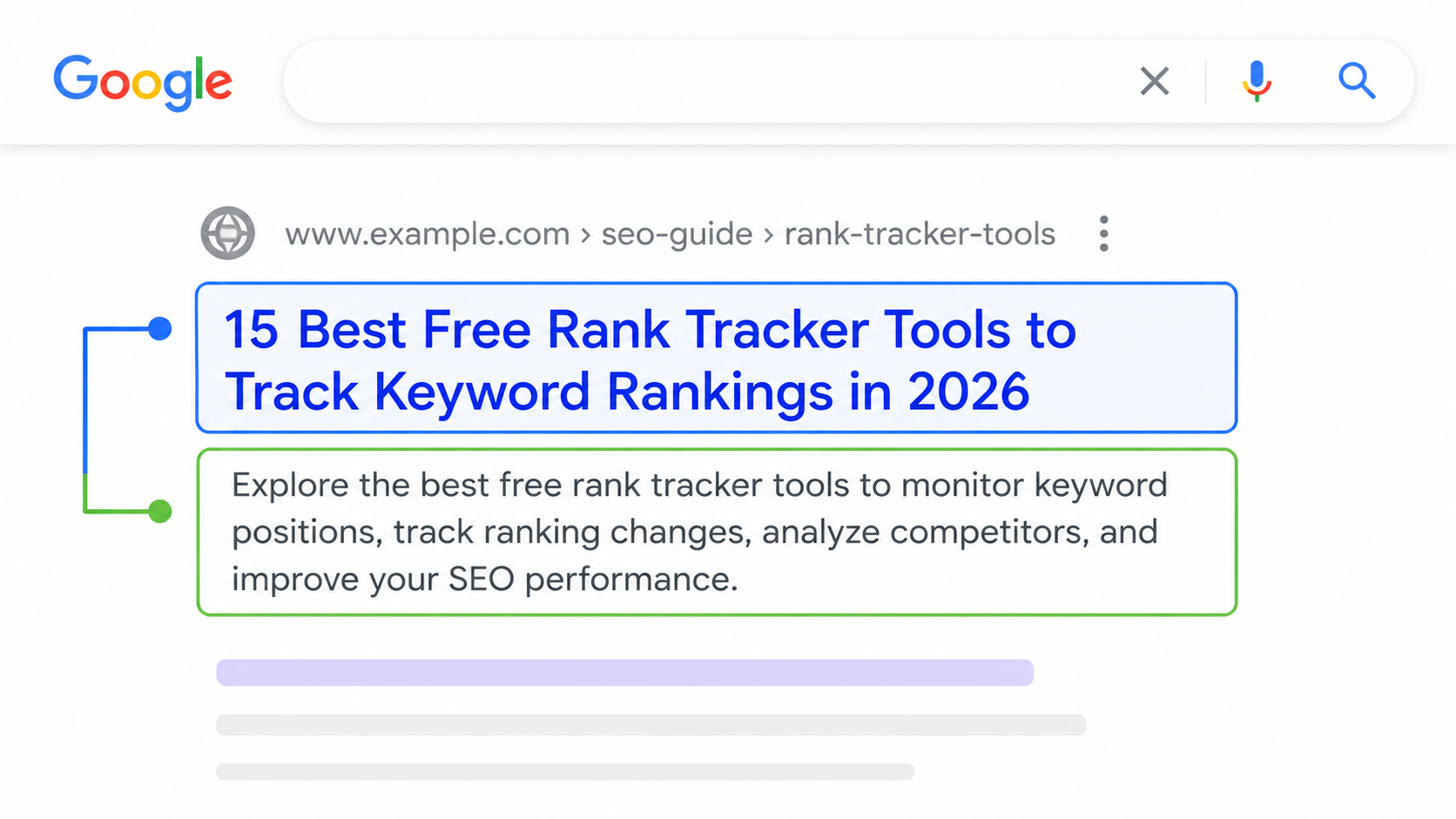
Your title tag and meta description are often the first things people see in Google search results. Well-written snippets can improve visibility and encourage more users to click. Free meta tag checker tools make it easy to preview and identify common SEO issues.
Why Meta Tags Still Matter
The title tag is an important SEO element, while the meta description is not a direct Google ranking factor. However, a relevant and compelling meta description can influence whether users choose your result over a competitor.
Your title and description should clearly communicate what the page offers and match the search intent.
Free Title Tag Checker Tools
Checking only the number of characters isn't enough because Google displays titles based partly on pixel width.
Useful tools include:
- Google SERP Snippet Optimization Tool — Preview how title tags and descriptions may appear in Google results.
- Mangools SERP Simulator — Preview search snippets and optimize titles and descriptions.
- Portent SERP Preview Tool — Create a visual preview of your search snippet.
Free Meta Description Preview Tools
A SERP preview tool lets you see how your title, URL, and description may appear on search results pages.
Test both desktop and mobile layouts and make sure the most important information appears early in the snippet.
Site-Wide Meta Tag Audits
For larger websites, manually checking every page isn't practical. Free SEO crawlers can identify missing, duplicate, or excessively long titles and descriptions.
Try:
- Screaming Frog SEO Spider — Crawl websites and analyze titles, meta descriptions, headings, and other SEO elements. The free version has a crawl limit.
- Seobility SEO Checker — Check individual pages for common on-page SEO issues.
- SEO Site Checkup — Analyze meta tags and other technical SEO factors.
Writing Meta Descriptions That Get Clicks
A good meta description should quickly explain the page's value. Include the main topic naturally, highlight a benefit, and use a relevant call-to-action when appropriate.
Avoid keyword stuffing or writing descriptions that don't accurately represent the page.
Ideal Title and Meta Description Length
| Element | Recommended length | Notes |
|---|---|---|
| Title tag | About 50–60 characters | Google truncates by pixel width (around 600px), so wide letters fill space faster |
| Meta description | About 120–155 characters | Mobile often shows less; put the key message in the first 100 characters |
Google rewrites many titles and descriptions when it thinks another snippet matches the search better. Writing a clear, specific title that matches your main heading reduces the chance of a rewrite.
Title Tag Formulas That Improve CTR
- Number + keyword + benefit: "7 Free Backlink Checker Tools for SEO (2026 Guide)"
- Question + quick fix: "Search Console Not Showing Data? 5 Quick Fixes"
- Keyword + year + format: "Technical SEO Checklist 2026: Step-by-Step Guide"
- Service + location + outcome: "SEO Services in Delhi | More Leads from Google"
Keep the main keyword near the start, add one reason to click, and only use numbers or years that are actually true for the page.
Find Pages That Need Better Meta Tags in Search Console
- Open Performance → Search results and switch on CTR and Average position.
- Open the Pages tab and add a filter for position smaller than 10.
- Sort by impressions and look for pages with a CTR well below your site average.
- Rewrite the title and description for those pages first, then compare CTR after 3–4 weeks.
You can build this view permanently into an SEO dashboard, and track the impact on positions with free rank tracker tools. Strong titles work best alongside a clean heading structure and schema markup that can earn rich results.
Common Meta Tag Mistakes
Free SEO tools commonly identify issues such as:
- Missing title tags
- Duplicate titles
- Duplicate meta descriptions
- Extremely long or short titles
- Missing meta descriptions
- Descriptions that don't match page content
Conclusion
Checking your title tags and meta descriptions takes only a few minutes but can help improve how your pages appear in search results and potentially increase clicks. Use TechnicalSEO, Mangools, Screaming Frog, Seobility, and SEO Site Checkup to preview and audit your meta tags regularly.


