
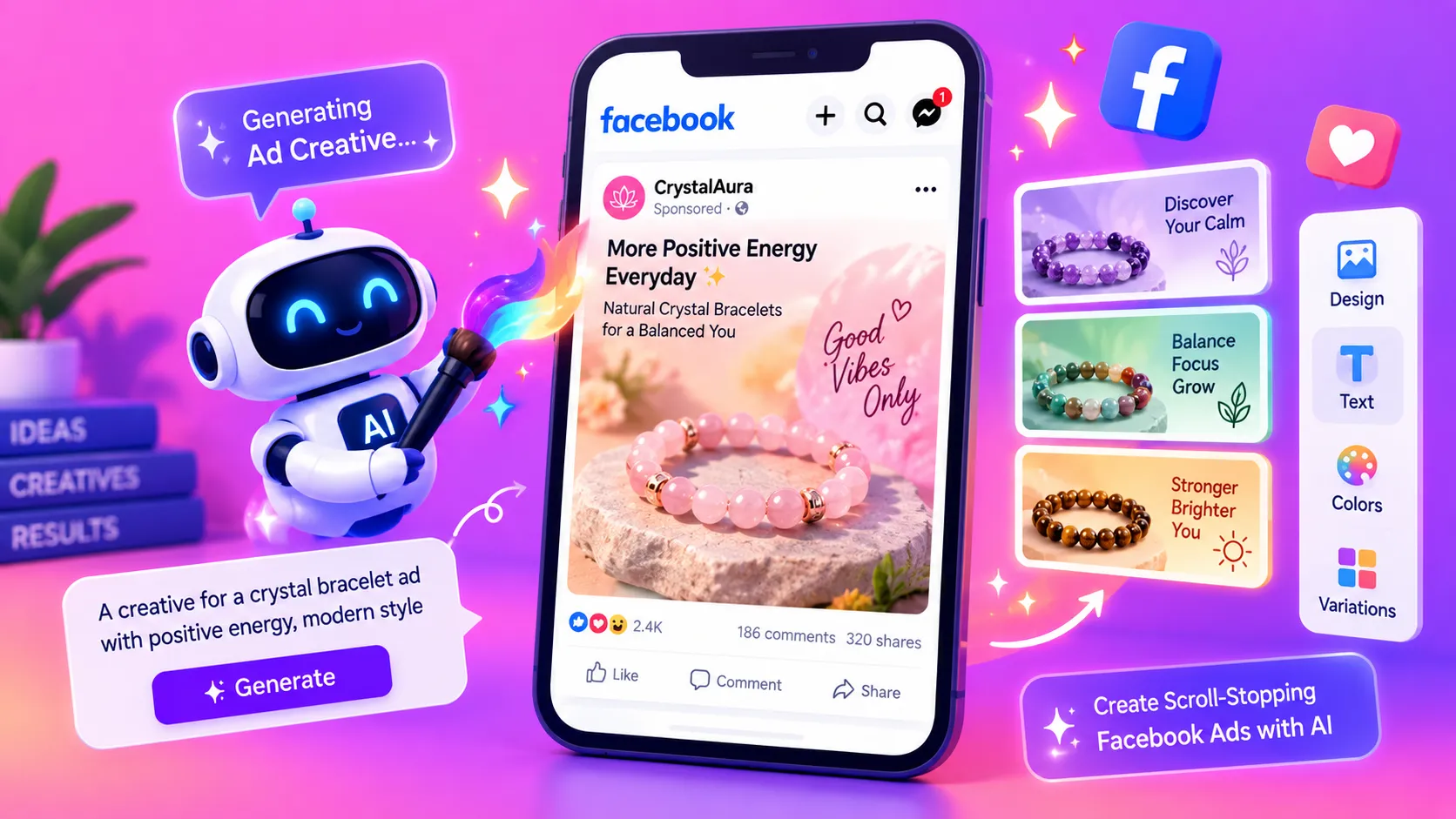
Facebook and Instagram ads live or die on their visuals. A face that feels human, a product shown in a believable setting or an image that matches the offer can stop a scroll in a fraction of a second. The challenge is that producing enough of these visuals, in the right sizes and styles, takes time, models and often a photographer. AI face and image generators can shorten that process considerably, so marketers can spend more effort on testing and less on production.
This guide explains how to use AI face and image generators to build ad creatives, which tools are worth considering, and how to keep your visuals honest, compliant and effective. The aim is not to replace real customers or brand judgement, but to give your team more concepts to test in less time.
What AI face and image generators can do for ad creatives
These tools can produce portrait-style images of people who do not exist, product mockups in lifestyle settings, background scenes that suit a campaign theme and variations of a single concept in different colours, moods and crops. For paid social, that means you can build a set of visuals for one offer and test which presenter, setting or message earns the most attention.
They are most useful when you already know the message you want to send. A generator can show a confident customer, a busy kitchen or a clean office, but it cannot tell you what your audience cares about. Decide the offer and the angle first, then use the tool to bring that idea to life quickly.
Step-by-step: creating an AI face or image for an ad
- Define the message. Write the single idea the visual must support, such as a faster checkout, a lower price or a trusted result.
- Choose the audience and setting. Describe who the viewer is, where the image will appear and what emotion it should create.
- Write a clear prompt. Include subject, setting, lighting, framing, colour palette and the placement format, such as a square feed image or a vertical Story.
- Generate several options. Produce a batch rather than settling on the first result, then choose the strongest two or three for testing.
- Edit and check. Fix details such as hands, text, brand colours and logos, and make sure nothing misrepresents the product.
- Test against the control. Run each visual against your current best creative and let the data decide which one scales.
Best AI tools for face and image creatives
1. Midjourney
Midjourney is known for highly stylised, art-directed imagery. It suits brands that want distinctive visuals, editorial looks or concept images to brief a designer. Its output usually needs refinement before it is ready for a live ad, so plan time for review.
Best for: Concept development and distinctive, art-directed imagery.
2. ChatGPT Images
ChatGPT Images lets marketers describe a visual in plain language and refine it through follow-up instructions. It is useful for quick concepts, simple product scenes and iterations of the same idea, especially when a team needs to explore several directions in one session.
Best for: Fast concepts, iterations and plain-language briefs.
3. Canva
Canva combines AI image generation with an easy design editor. Teams can generate a visual, add copy, resize it for different placements and hand it to colleagues for approval without leaving the platform. This makes it one of the most practical options for small businesses and social media managers.
Best for: Editable social designs and fast resizing across placements.
4. AdCreative.ai
AdCreative.ai is built specifically for advertising. It generates ad images, text and variations, and offers performance-oriented scoring to help choose between options. It suits performance teams and agencies that need many variations for ongoing testing.
Best for: Performance marketers and agencies producing large volumes of ad variations.
5. Pencil
Pencil combines generative images and video with advertising workflows and creative insights. It is a useful choice when you want images and video concepts managed in one place, particularly for larger campaigns with several markets or audiences.
Best for: Teams producing images and video concepts for multiple campaigns.
Prompting tips for realistic, on-brand visuals
Specific prompts produce better results. Describe the subject's age range, expression and clothing, the environment, the lighting and the camera angle. Name the colour palette your brand uses so the image sits comfortably beside your other assets. If you need copy space for headlines, say where it should fall. For more examples of how prompt structure changes output quality, see our guide to Gemini AI photo prompts.
Keep a prompt library. When a visual performs well, save the prompt, the settings and the audience it was built for. Over time this becomes a reusable system that your team can adapt rather than reinvent for every campaign.
Legal, ethical and policy checks
AI-generated people and products need the same care as real ones. Do not imitate a real person without permission, do not use faces that could be mistaken for a public figure or a customer testimonial, and never present a generated image as a real result. Your visuals must describe your product accurately, including its size, colour and what it does. Review each ad against Meta's advertising standards before it goes live, and disclose AI-generated content where your platform or local rules require it.
Honesty also builds trust. A visual that promises more than the product delivers may win a click once, but it damages the relationship that drives repeat sales. Aim for images that set realistic expectations.
Testing and measuring AI creatives
Judge every visual on performance, not appearance. Track click-through rate, cost per result and the quality of the enquiries or sales that follow. A striking image that attracts the wrong audience is not a success. For ways to connect creative data with reporting, explore our overview of AI tools for Facebook ads analytics and performance reporting, and see how AI optimisation tools can help you improve return on ad spend.
Final takeaway
AI face and image generators are a practical way to produce more Facebook ad creatives, test more angles and reduce the time spent on production. Use them to explore ideas, keep your visuals accurate and honest, and let your results decide what runs at scale.
If you want help building a creative testing system for your Meta campaigns, our Meta ads team can plan the process, from briefing and prompts through to testing and reporting. Explore more of our guides on AI tools for Meta ads and AI chatbots for ad campaigns to build the rest of your stack.